
Product design · AI-assisted prototyping · Design system
SpeCurateKeep every specification moving.
Designing a specification workspace around the different ways firms collect, present, review, and source products.
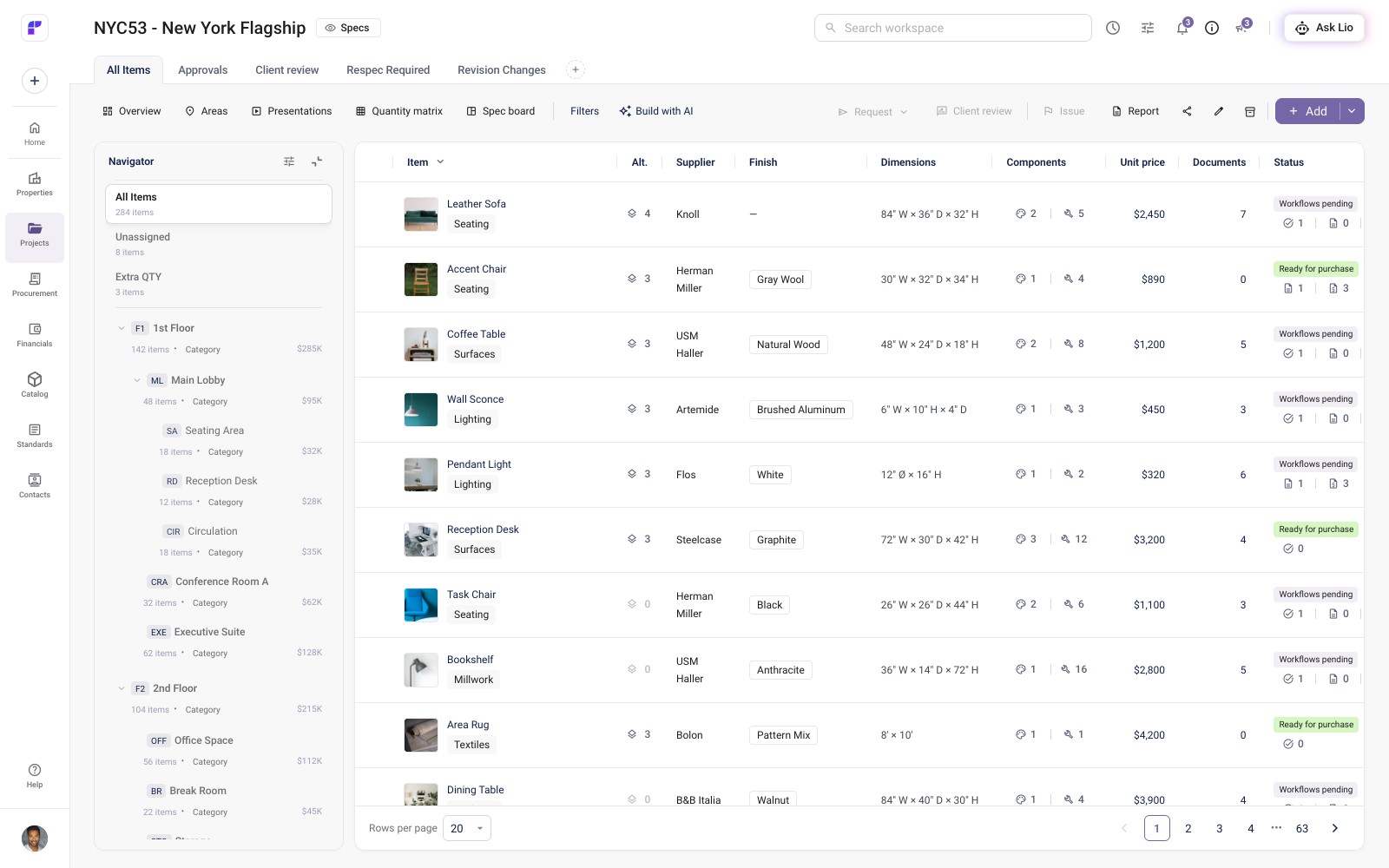
The short version
Design firms work in different ways, and specification work rarely follows a straight line. How could one workspace support those differences without forcing every team through the same sequence?
- Contribution
- Sole product designer
- Product ideation, UX, and UI direction
- Customer interviews and usability testing
- Functional AI-assisted prototypes
- Design system and brand direction
- Duration
- May 2026–present
- Status
- Prototype · Beta planned
- Planned launch
- Beta planned for fall 2026; phased releases to follow
- Tools
- Codex, Claude Code, Claude Design, Figma, and GitHub
- Collaborated with
- Product and engineering teammates; graphic designer for marketing guidelines
SpeCurate, formerly Spechub, is a new specification platform from Fohlio for architecture and design teams. I lead its product design, shaping a workspace that connects collections, presentations, submittals, requests for quotes, and client review.
As SpeCurate’s sole product designer, I lead ideation, customer research, UX/UI, and the design system in collaboration with product and engineering. I also created the platform’s brand identity and now direct a graphic designer developing its marketing guidelines.
The screens in this study show an ongoing prototype with demo data, captured in October 2026. A beta covering much of this work is planned for fall 2026, with further releases planned for the following months. Production adoption and business outcomes have not yet been measured.
Learn how firms actually work
01 / Design study
Who I worked with
Research involved roughly 10–20 participants per feature, with the number varying across studies. I conducted interviews and guided prototype testing calls with interior designers, particularly senior designers and managers, design firm owners, and procurement professionals.
What we explored
The sessions covered collections, presentations, submittals, requests for quotes (RFQs), and client review and proposals. We used these conversations and walkthroughs to examine whether the developing product aligned with customers’ everyday workflows.
The finding that shaped the product
Firms organize their work differently, and their processes are not linear. A single prescribed sequence would not reflect how many customers work. This became a central design constraint: support different ways of working while keeping decisions and next steps understandable.
I synthesized insights across firms to guide decisions that would serve a range of customers. Interviews and testing led us to add steps, reorganize ideas, and surface information customers needed in their workflows. The selected decisions below show my approach to review and revision, vendor comparisons, and shared interface rules within that broader challenge.
Give a refusal somewhere to go
02 / Design study
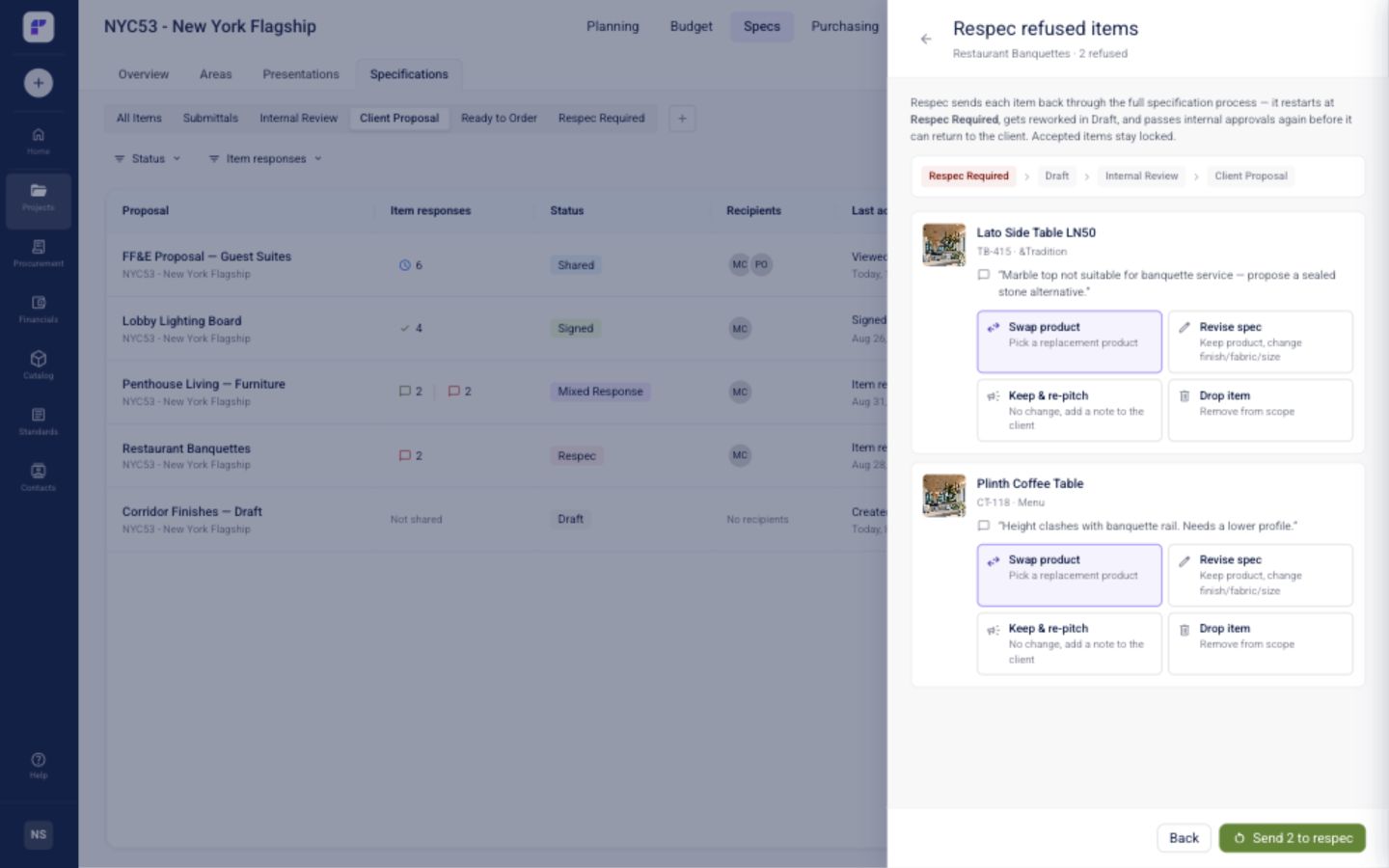
A refusal needs a reason, an owner, and a path back to review. I created Respec Required to keep those details with the item instead of leaving the team to reconstruct the handoff.
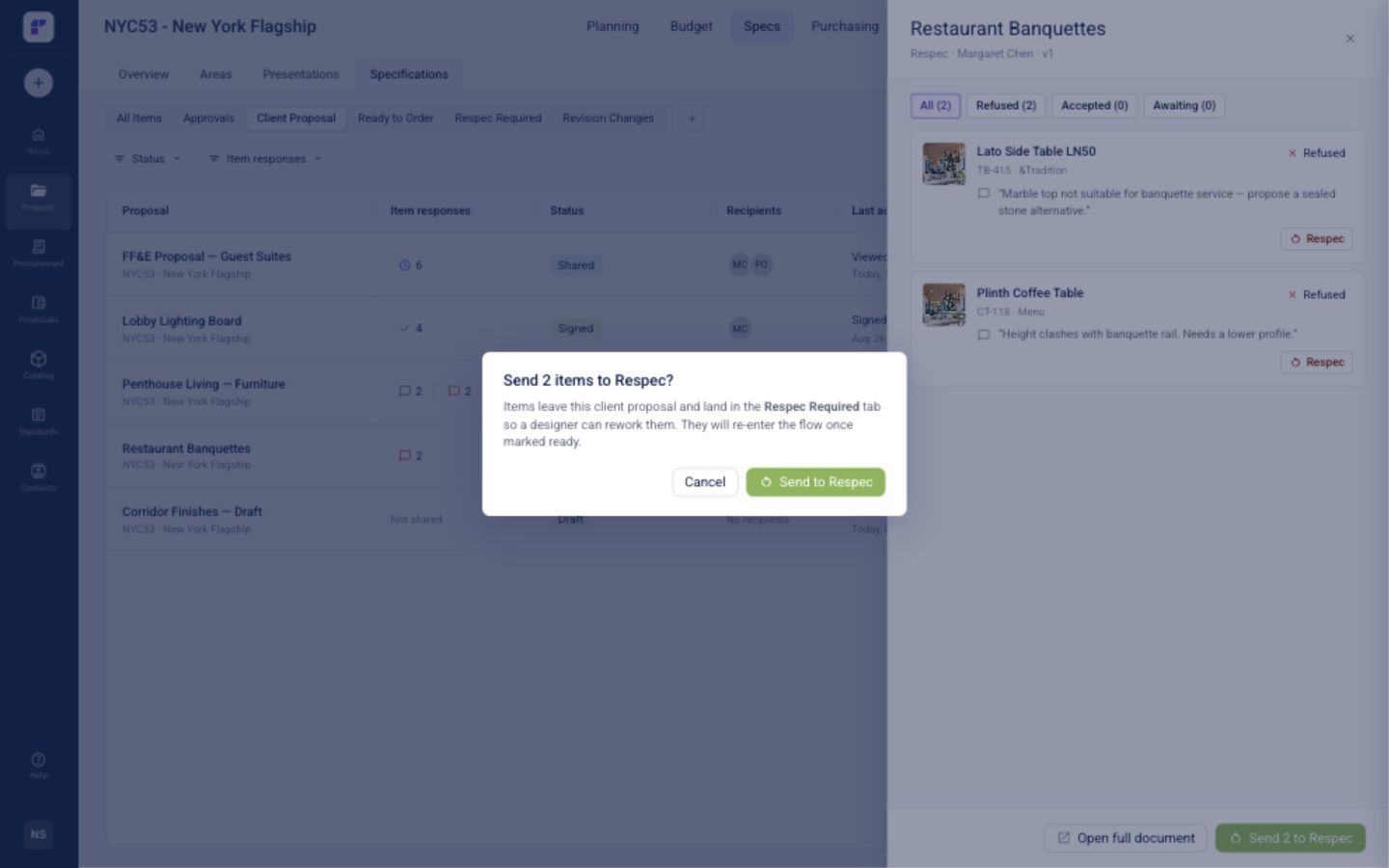
The first version asked reviewers to choose between swapping, revising, keeping, or dropping an item. I replaced those four choices with one confirmation and moved the resolution into the designer’s workspace. This separates the review decision from the work needed to resolve it.
Earlier exploration
Simplified handoff
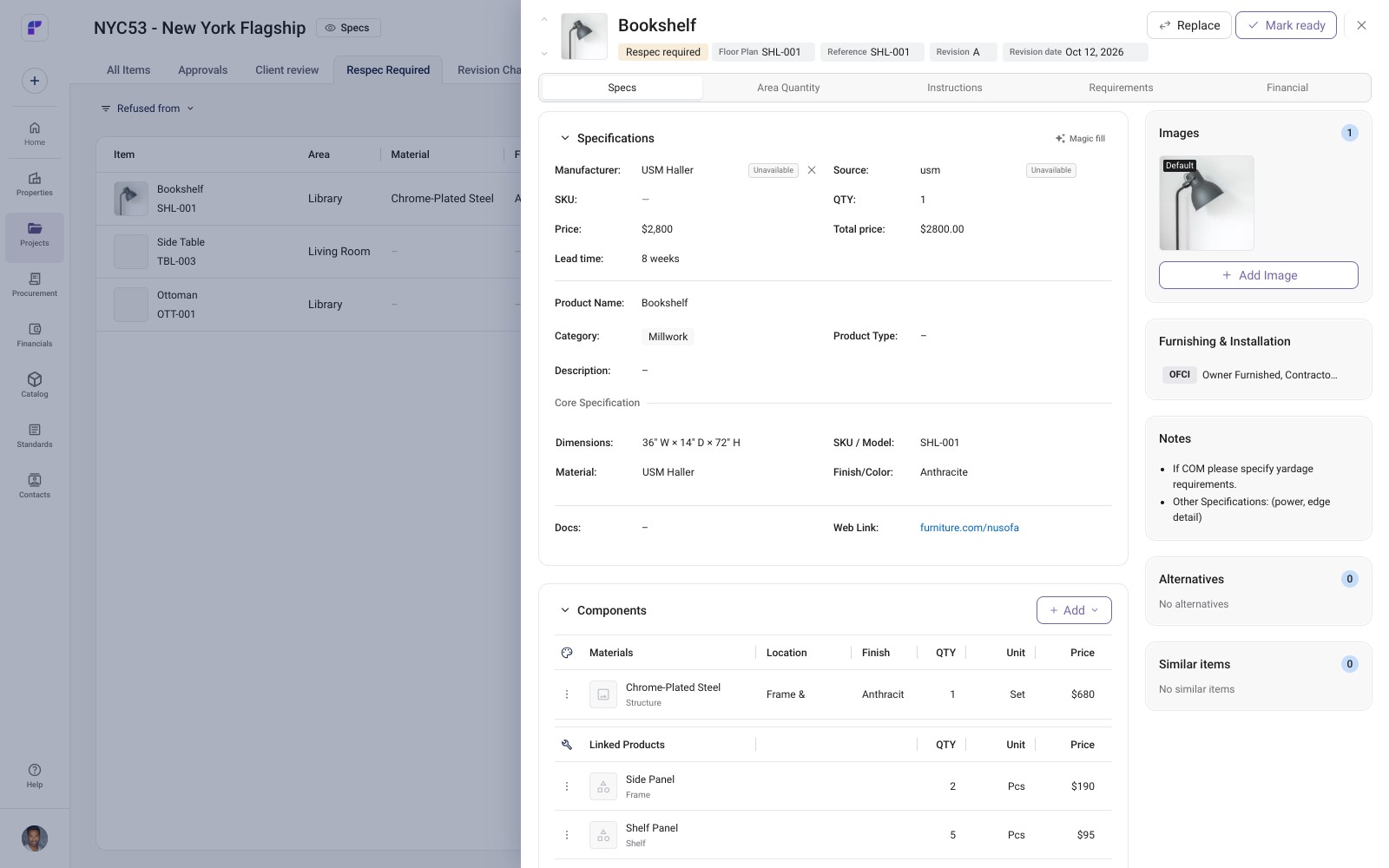
The current item sheet offers Replace and Mark ready. Marking an item ready starts a fresh approval request with the previous reviewers, carrying ownership back into the review loop.
Make the vendor decision comparable
03 / Design study
Price alone cannot settle a specification. Lead time, availability, documents, and proposed alternatives can change which quote makes sense.
I brought vendor responses into one item-by-item comparison, with the request details alongside it. Teams can compare the same criteria and choose a vendor for each item before accepting a quote.
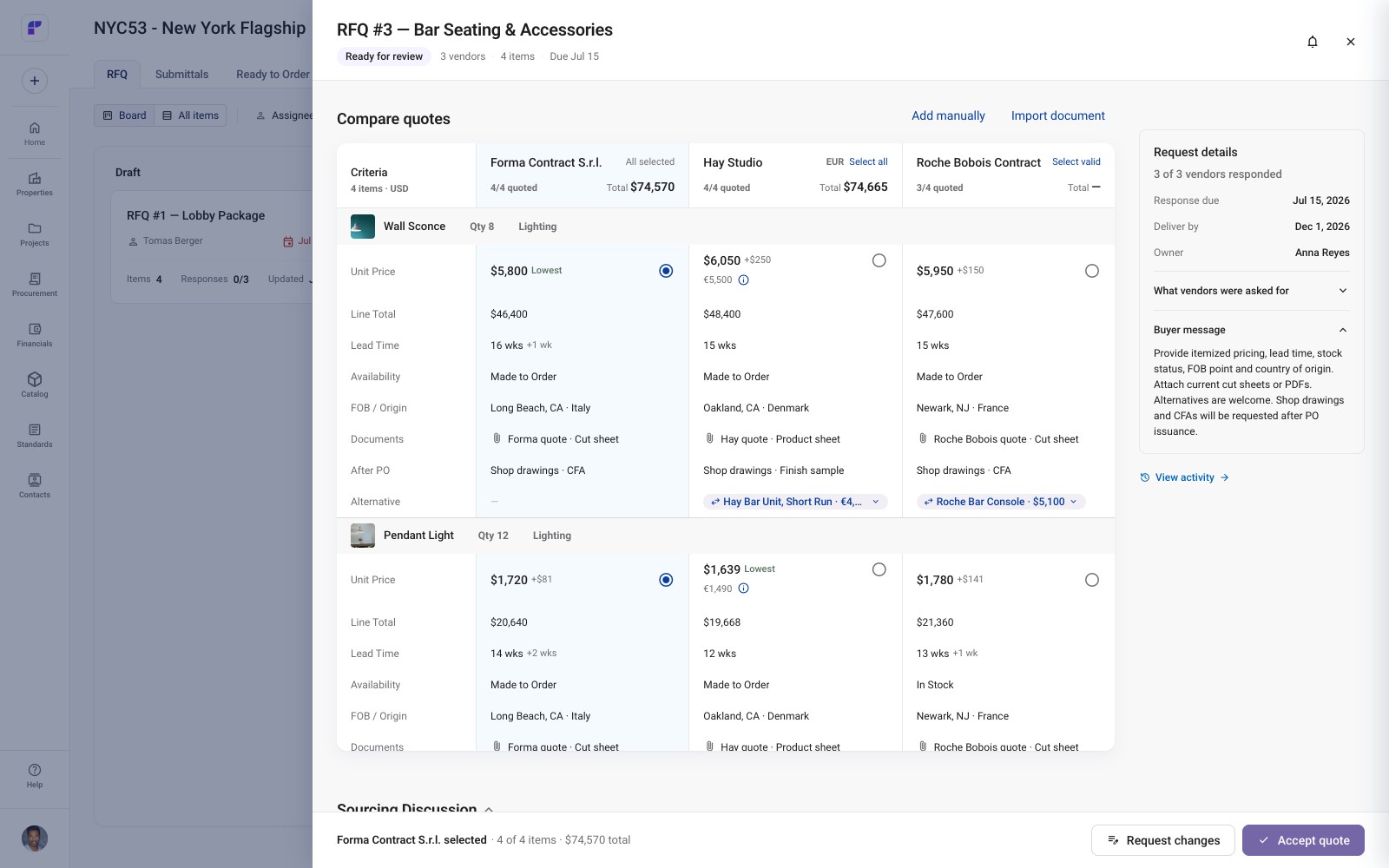
The matrix keeps more detail visible than a simple list. It prioritizes comparing a small set of supplier responses in context. RFQs were part of the customer interviews and guided testing; this view illustrates the design direction rather than a measured improvement in procurement performance.
Make the same rules travel across the product
04 / Design study
As the workflows grew, I developed shared foundations for tables, side sheets, forms, and feedback. A restrained purple accent, Geist typography, and semantic color roles establish the visual direction.
The system also defines behavior: where toolbar actions belong, when forms validate, and how a failed save preserves someone’s input. Documented rules, reusable components, and Storybook examples support adoption with engineering.
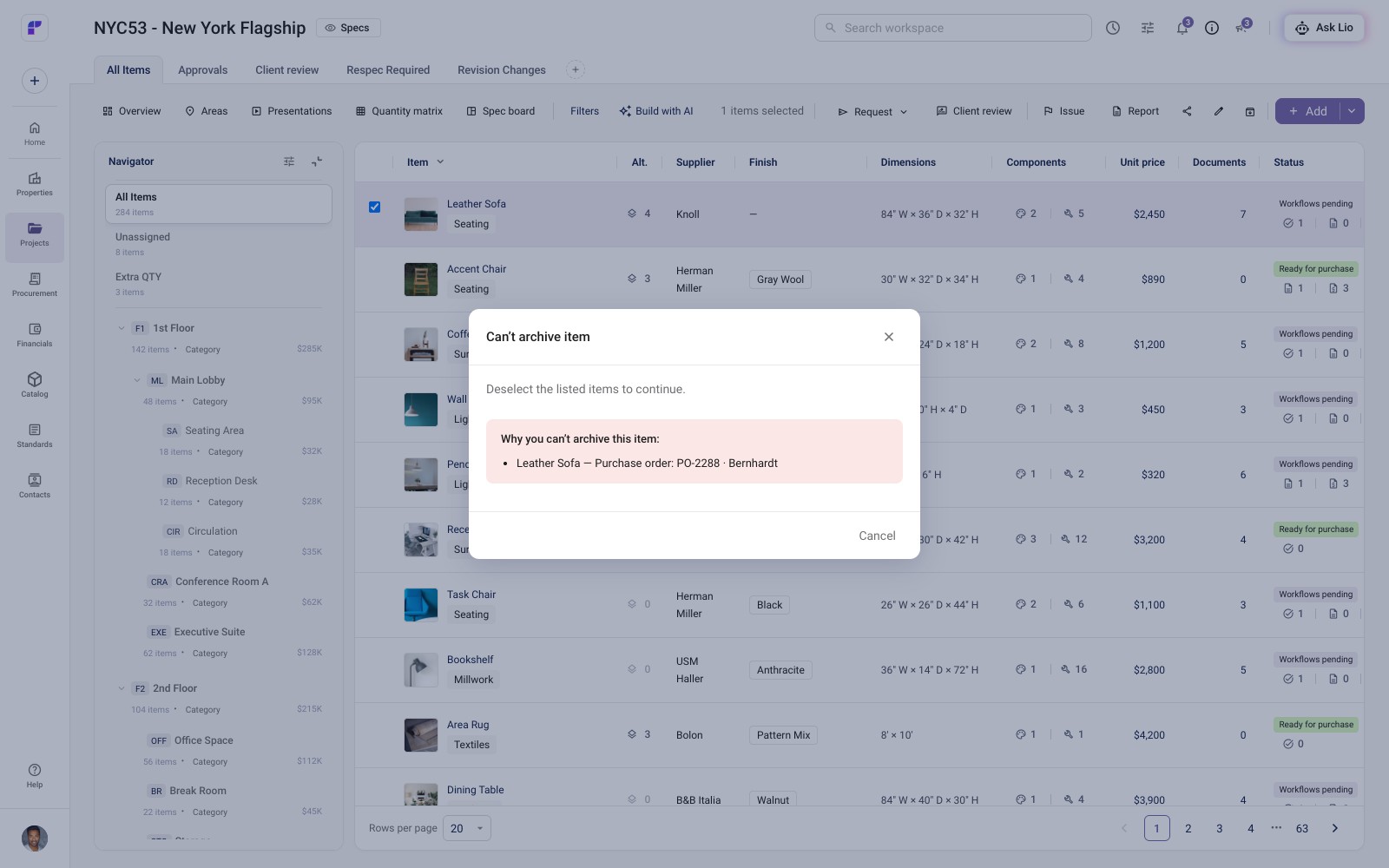
The prototype has begun adopting the palette and app framing; wider component adoption is ongoing. I created SpeCurate’s logo and brand identity from scratch, using industry research and GPT-assisted logo exploration to develop the platform’s visual direction. I now direct a graphic designer completing the marketing guidelines.
Use AI to make the decisions tangible
05 / Design study
I use Codex, Claude Code, and Claude Design to build and revise functional prototypes. As new models become available, I explore how they can improve my workflow alongside developers. My contribution is the product logic, interaction structure, and design judgment that guide those prototypes.
The respec iteration is one example: AI-assisted implementation made the interaction concrete, while the decision to simplify the handoff remained mine. Working prototypes give customers and teammates behavior to explore alongside the screens.
From prototype to production
Engineering reviews the code-based prototypes and translates the intended behavior into production implementation. We collaborate on selected features to connect the design direction with technical requirements.
What this work establishes
Customer interviews and guided testing have shaped the platform’s direction. The prototype connects review and revision and establishes reusable interface rules, with a beta planned for fall 2026. The next stage is to learn from use in customers’ own workflows as the platform moves through its release phases.
Related work · Existing platformFohlio: modernizing an established platformImproving workflows while preserving familiar interactions.