
01 / Inside the redesign
Keep people oriented.
Breadcrumbs and shortcuts connect the platform’s modules.
Explore this decision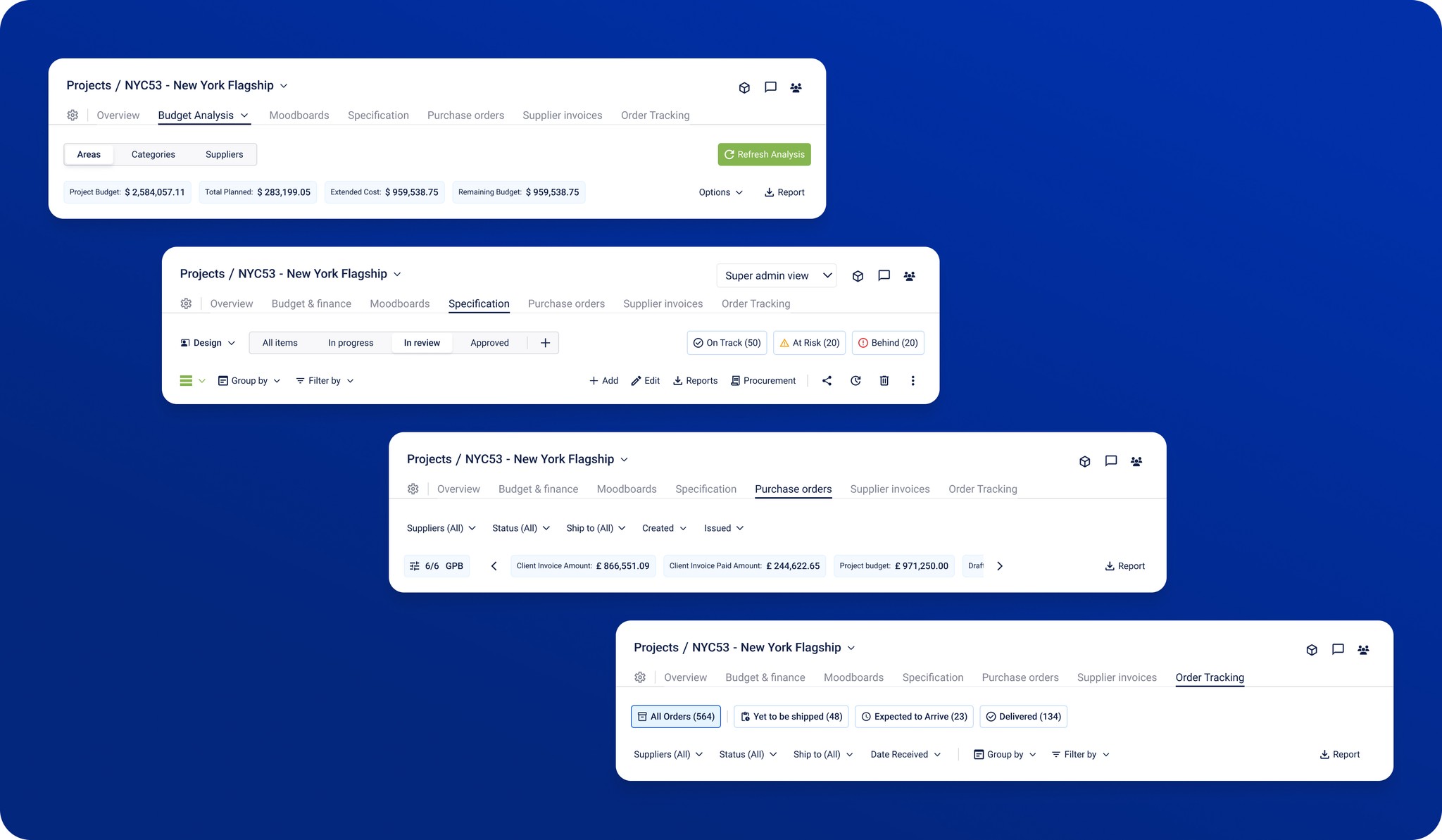
Existing platform · Shipped redesign
Modernizing navigation, material discovery, and data-heavy interfaces while preserving familiar workflows.
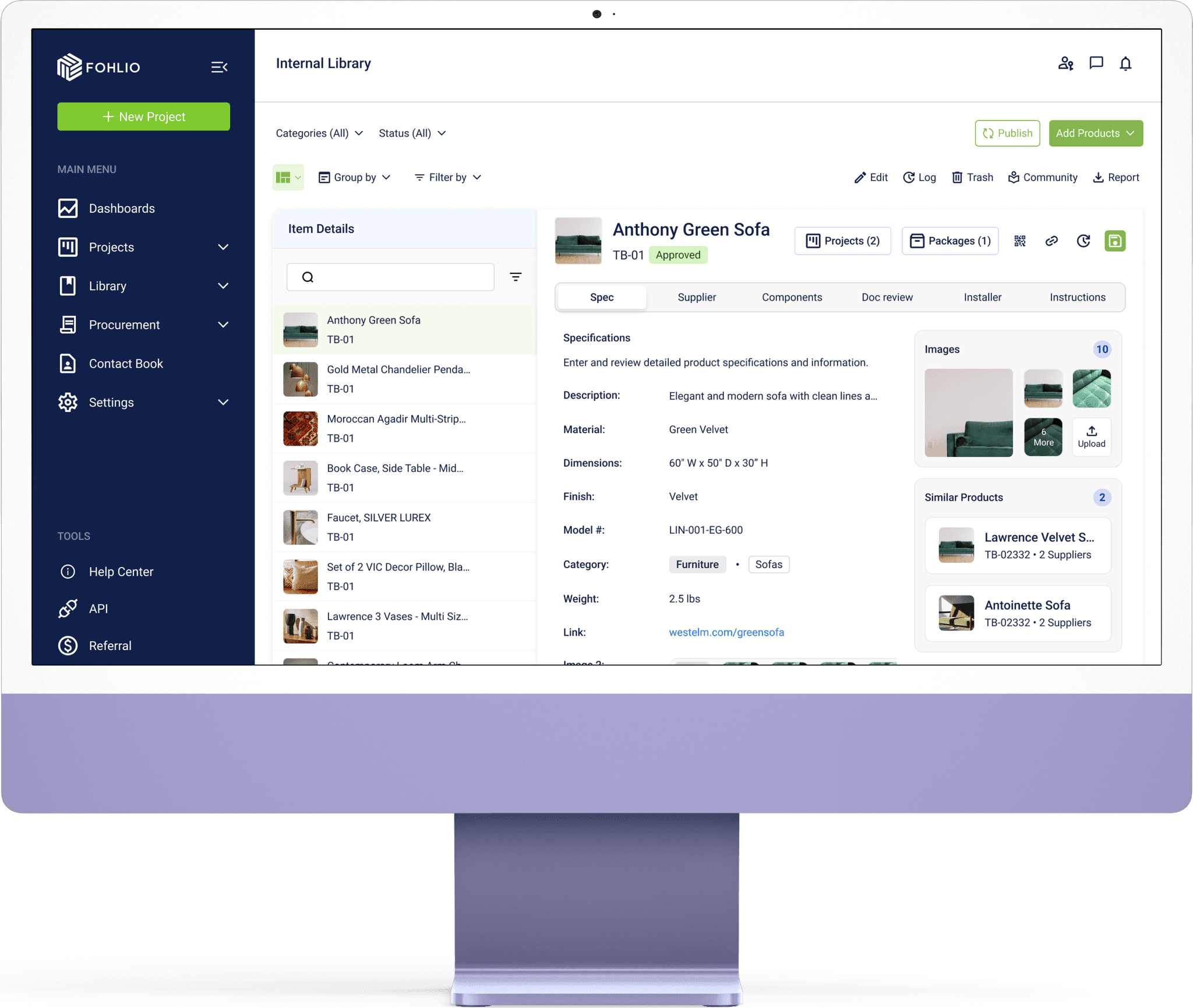 Shipped platform redesign
The short version
Years of growth left Fohlio with inconsistent interfaces and fragmented workflows. The redesign had to simplify daily work while preserving existing projects and familiar interactions.
01 / Inside the redesign
Breadcrumbs and shortcuts connect the platform’s modules.
Explore this decision02 / Inside the redesign
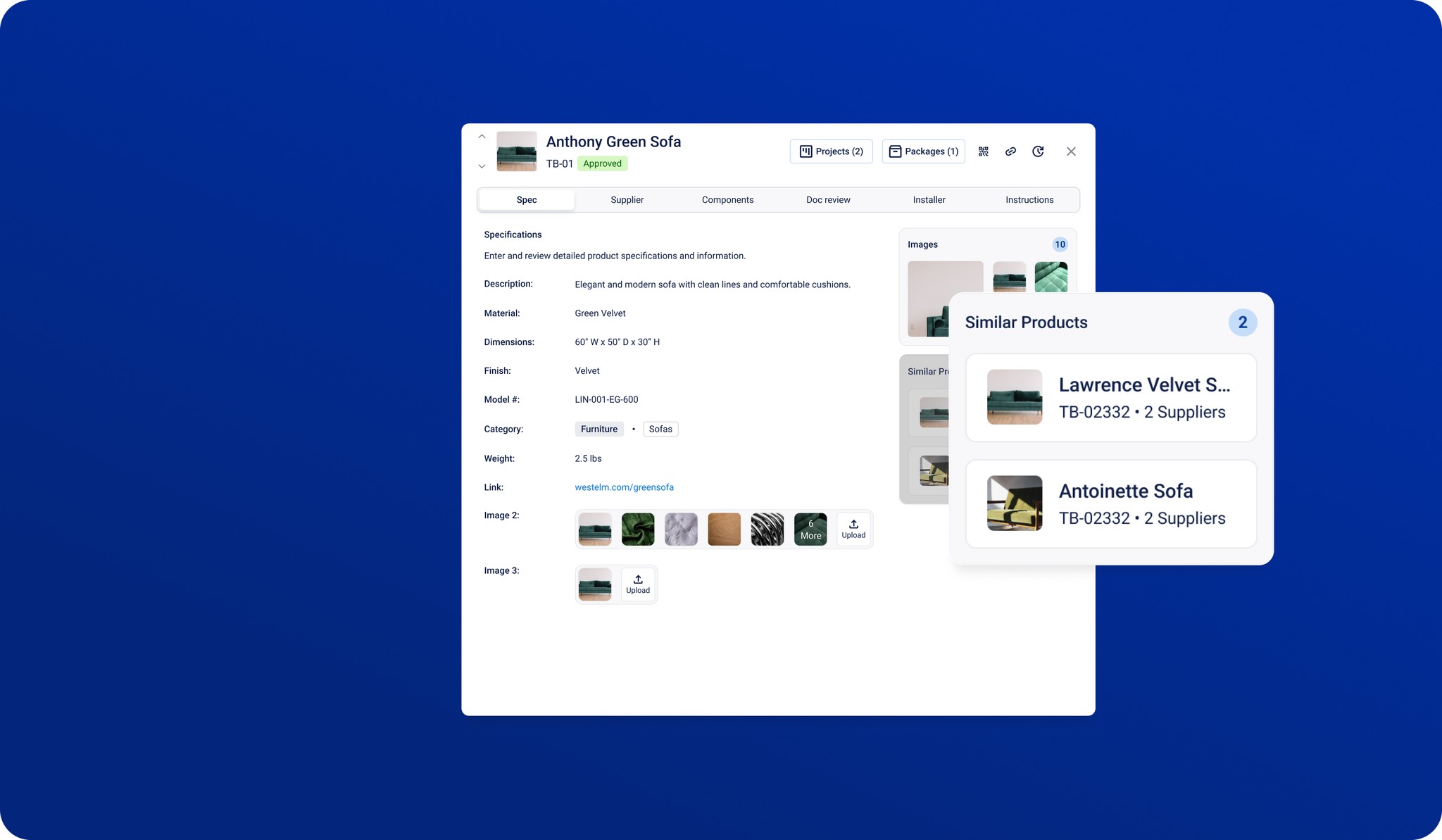
A side sheet lets people inspect a product while browsing the library.
Explore this decision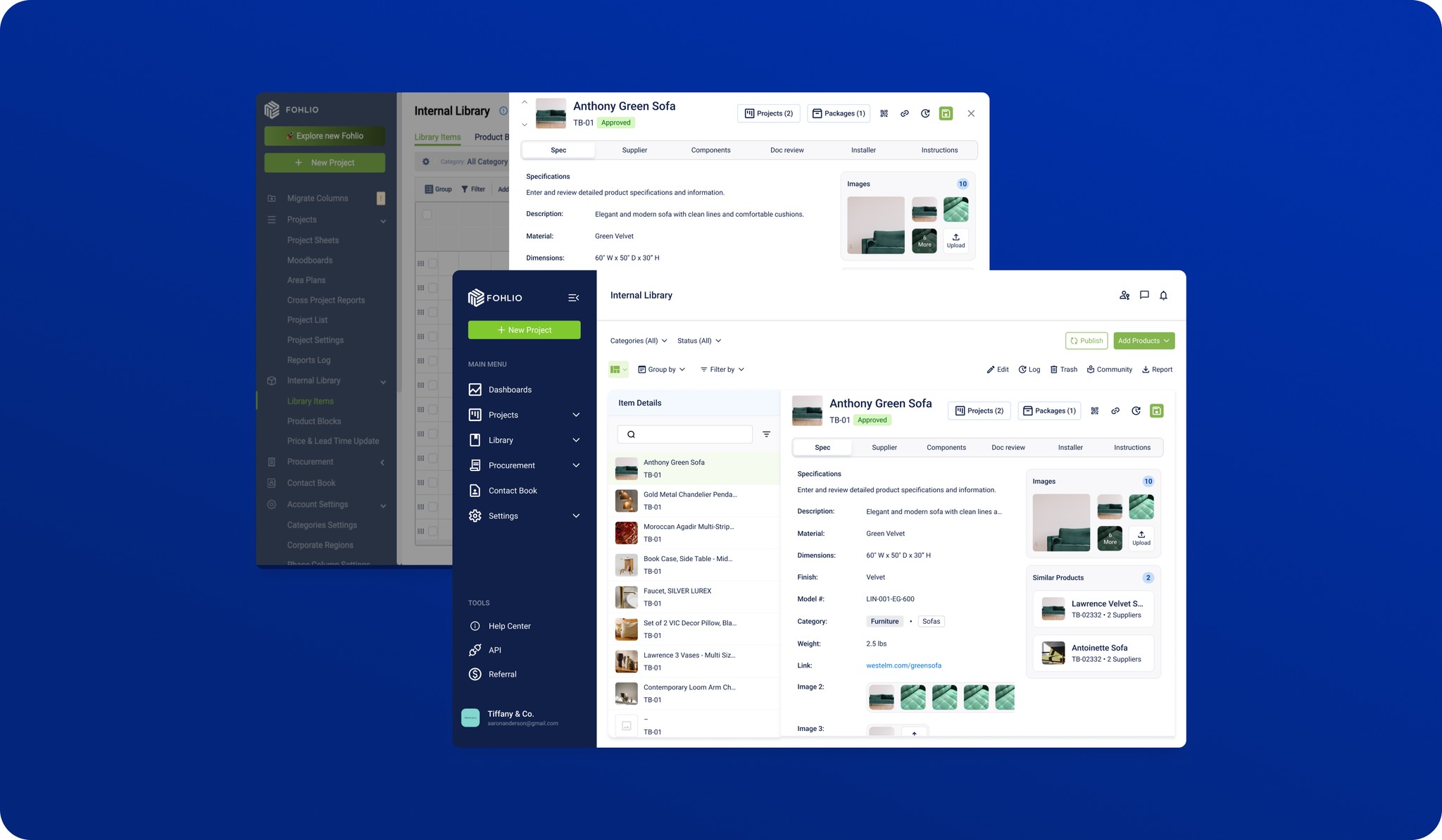
03 / Inside the redesign
Tables use shared rules for type, spacing, and editing.
Explore this decision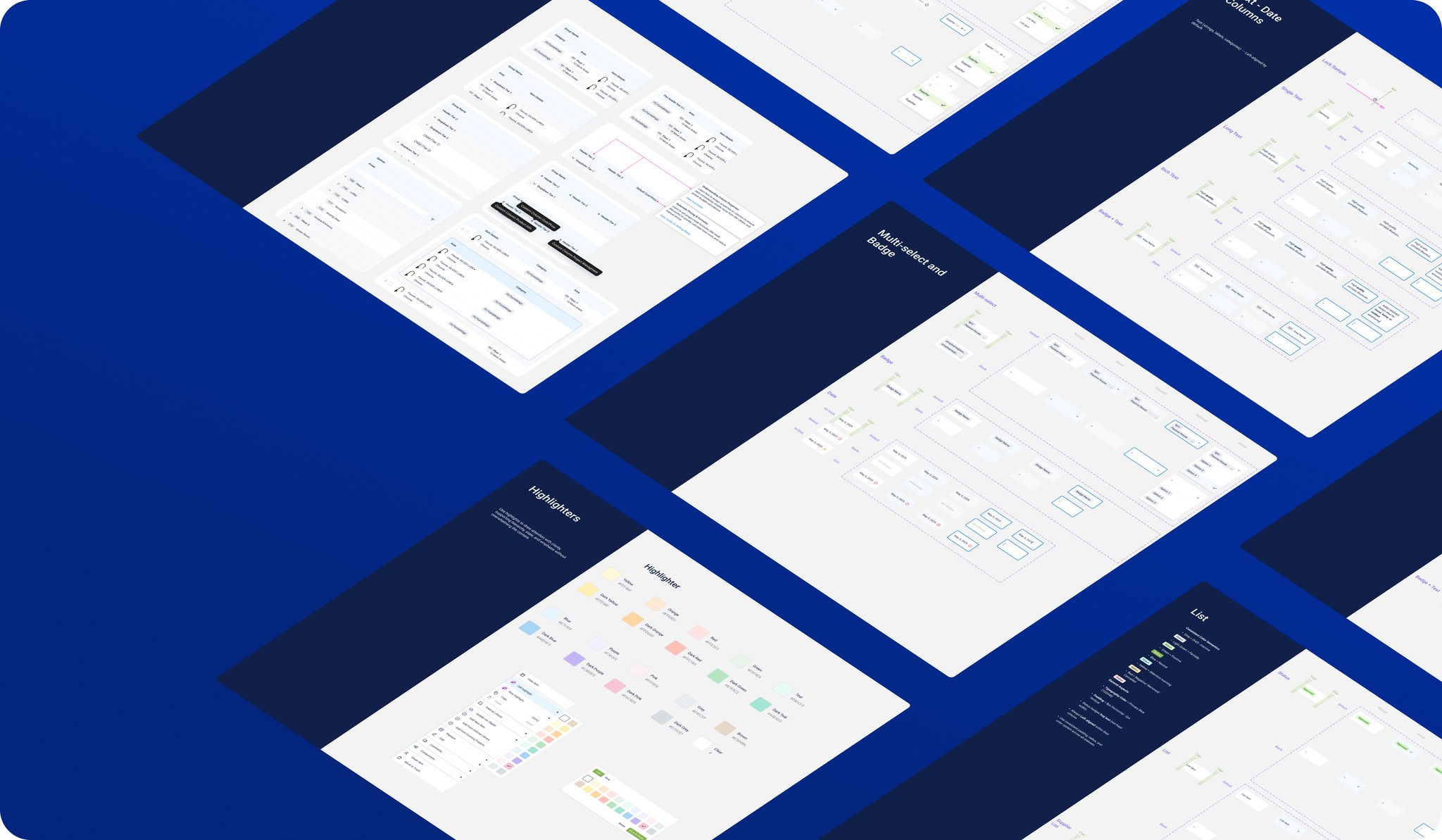
Fohlio helps architecture and construction teams manage specifications, sourcing, and materials. My work focused on redesigning and unifying platform features and the design language, including tools for importing information from Excel and PDF documents.
I worked with product and engineering on workflows that existing customers already relied on. The design challenge was to make information easier to find and act on while preserving familiar interactions and compatibility with existing projects.
The redesign and Excel/PDF import tools are implemented. We used Pendo action tags and click paths to evaluate how existing customers moved through the updated workflows.
01 / Design study
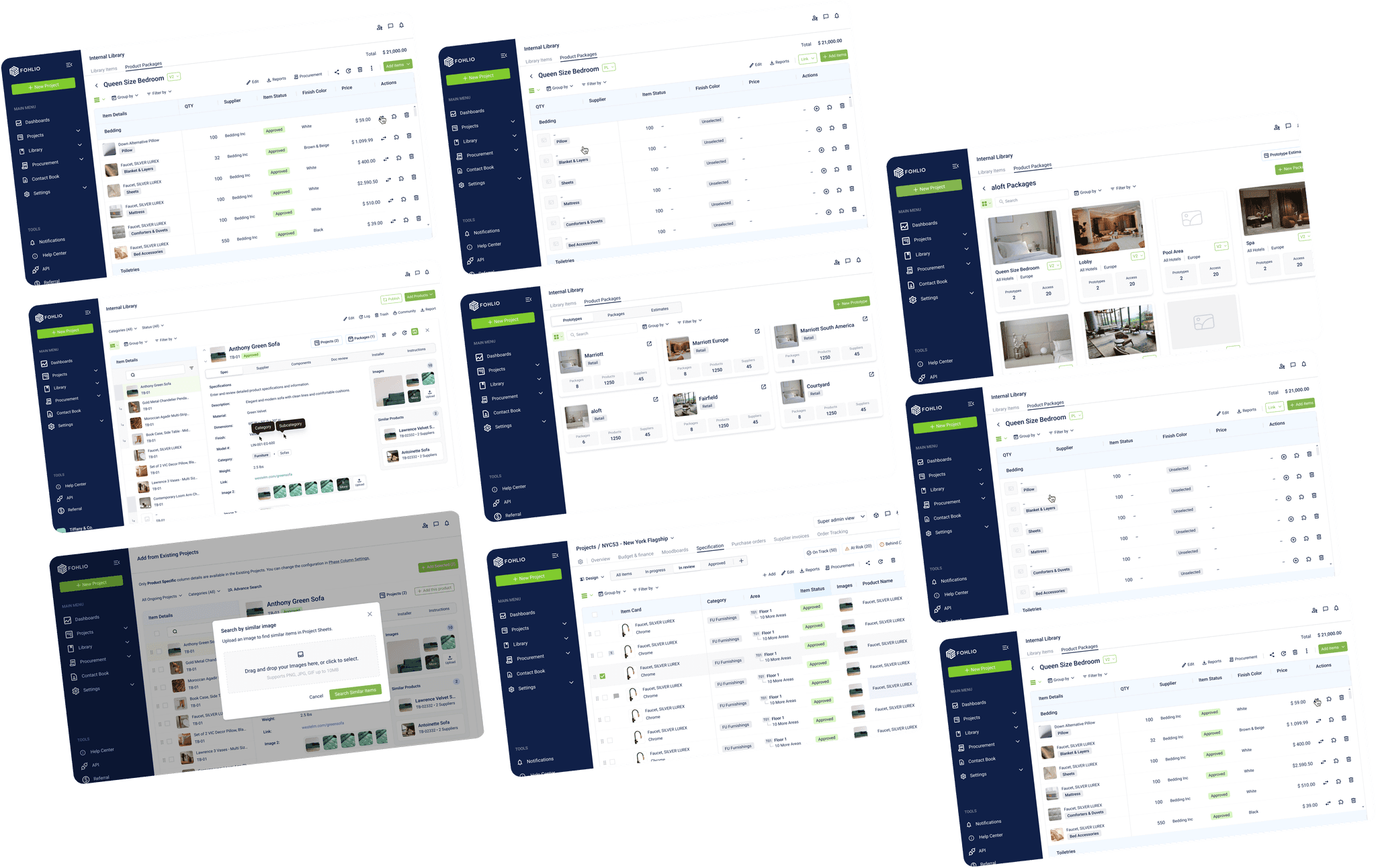
Teams spent too much time navigating between tools. The redesign needed shared interface patterns, easier access to information, and compatibility with existing projects.
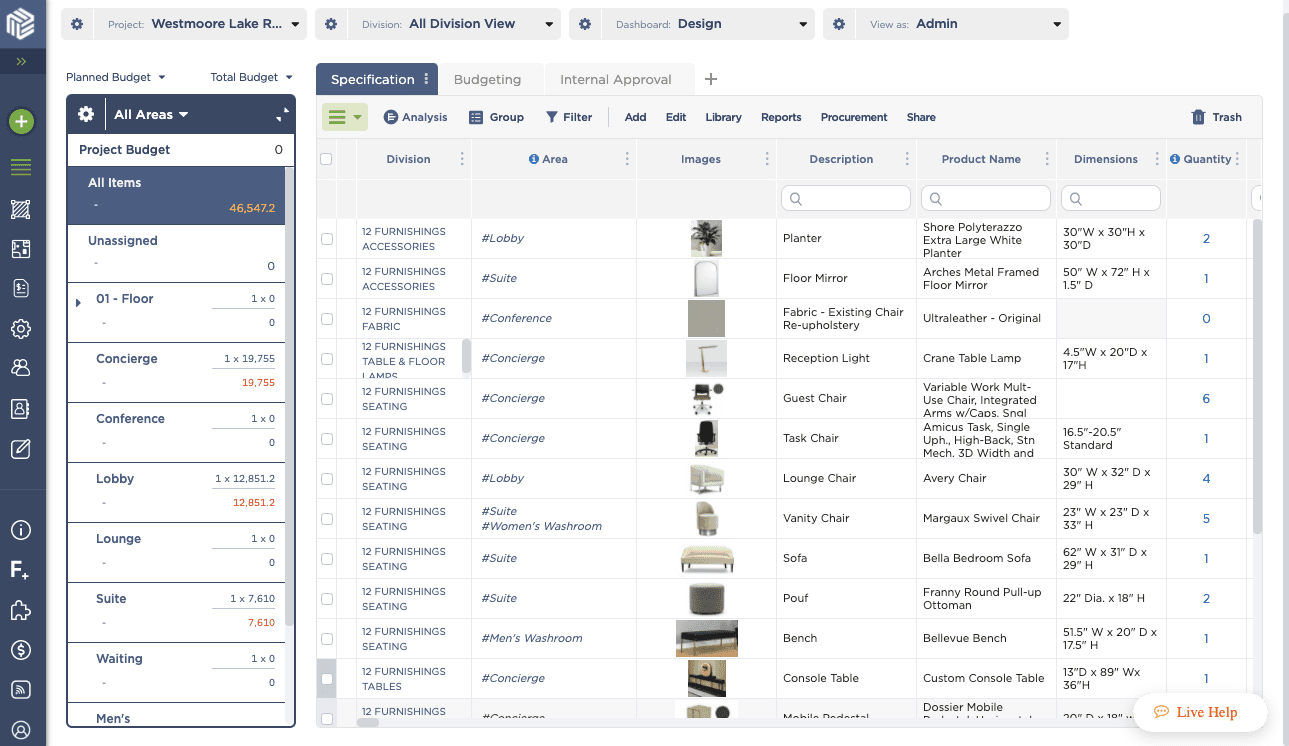
02 / Design study
I worked from research and workflow problems through design exploration and prototypes, collaborating with product and engineering. Across the redesign, I connected local interface decisions to shared navigation, table, and component patterns.
We also used Pendo to tag actions and follow users’ click paths, focusing on points where people struggled to complete an action. This provided behavioral evidence alongside design exploration.
03 / Design study
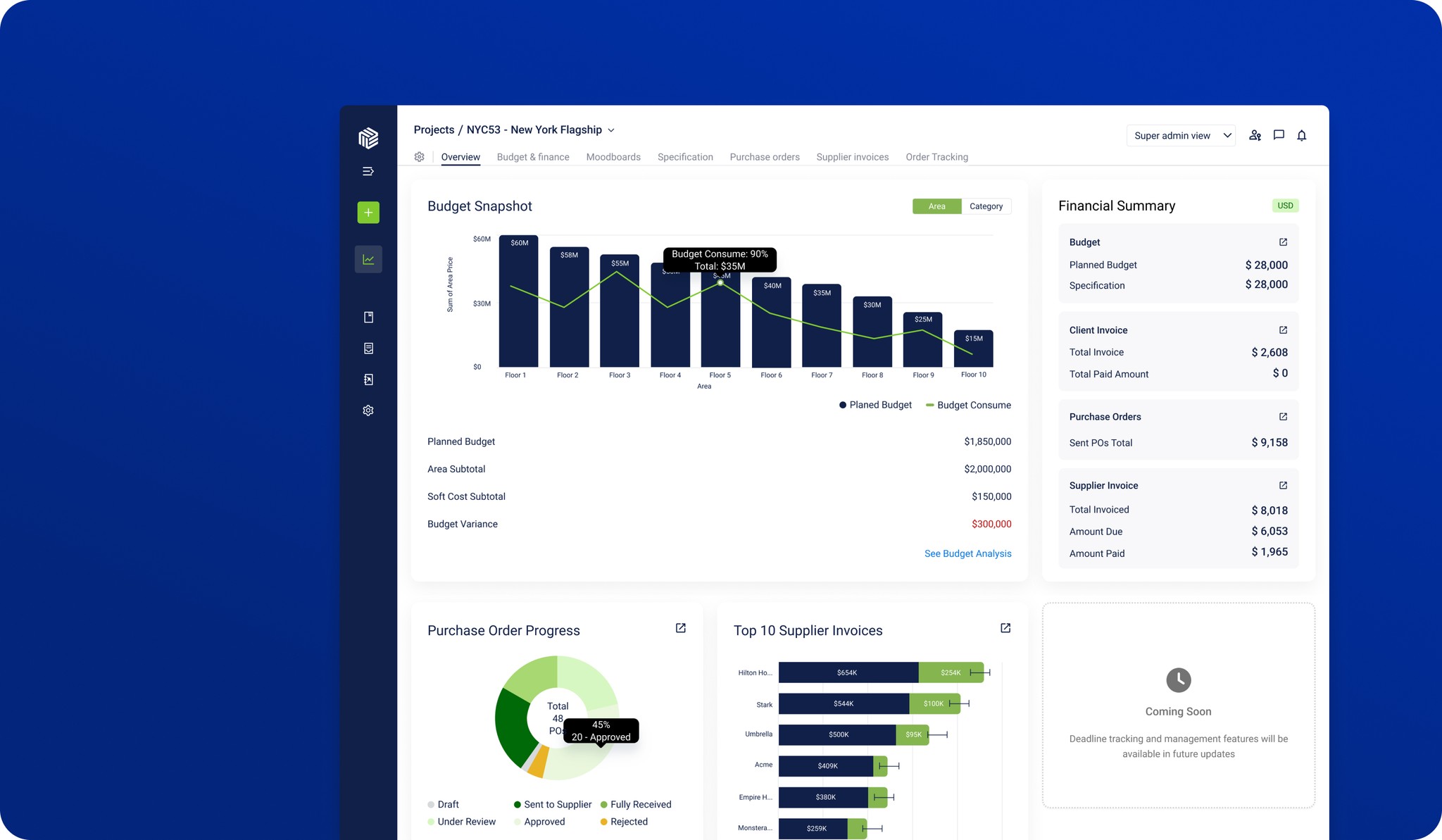
Teams needed a view of budgets, resources, and project health across concurrent projects.
I prioritized metrics with project managers and designed a dashboard with access to project details.
Bring project metrics and access to underlying details into one view, so project managers can move from an overview to the information behind it.
04 / Design study
Moving between modules made common tasks harder to follow.
I introduced consistent navigation, contextual breadcrumbs, and shortcuts.
Use shared navigation and contextual breadcrumbs to help people understand where they are and move between related tasks.
05 / Design study
A cluttered library made materials hard to find and manage.
I reorganized categories, search, and filters, added bulk actions and smart collections, and placed product details in a split-view side sheet.
Reduce the effort of finding materials and inspecting their details. The side sheet keeps the library in view while someone evaluates a product.
06 / Design study
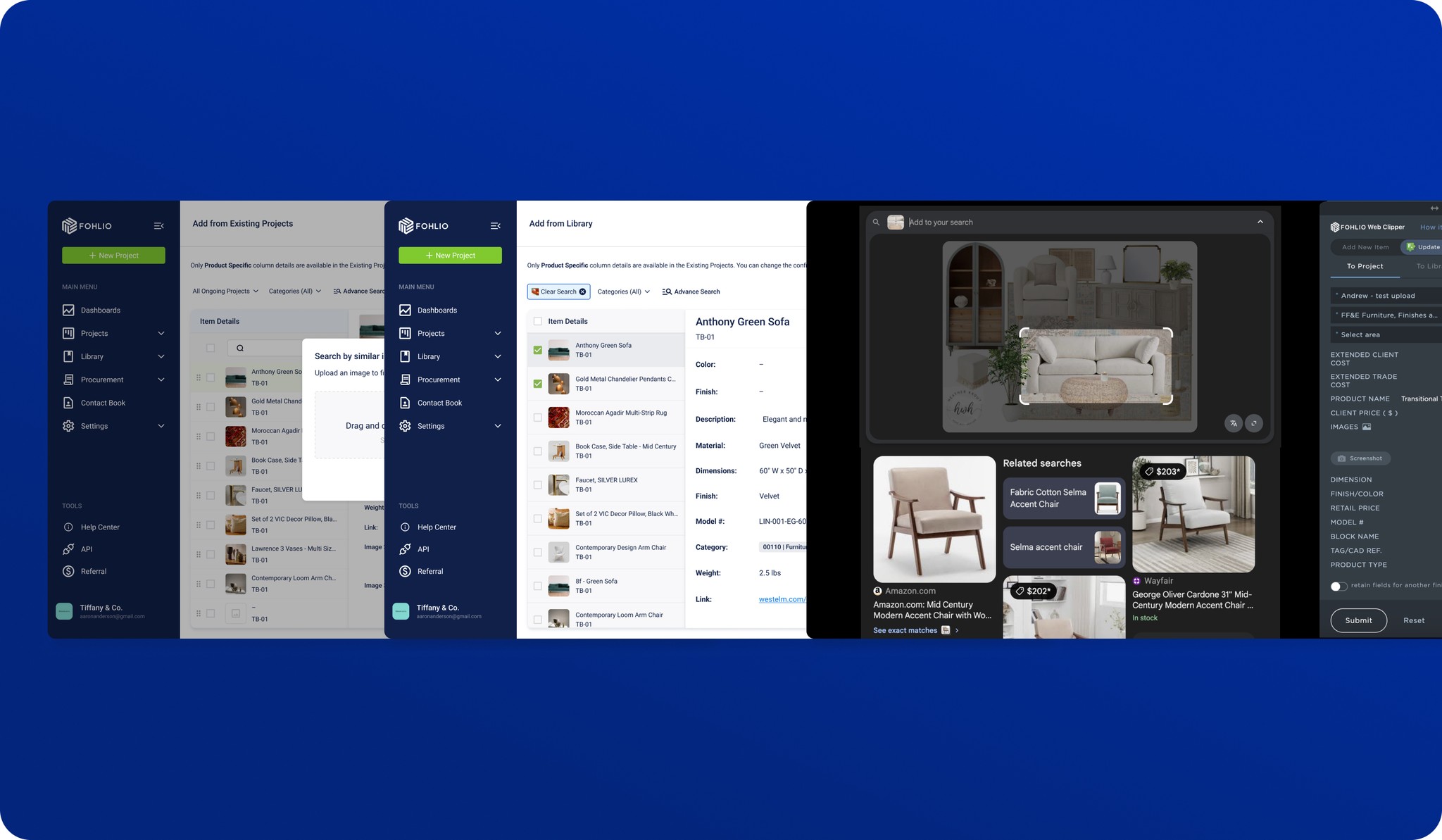
Teams had reference images but often lacked product names.
I designed an image-upload flow with feedback on match quality. Visual search and Google Lens integration connect photos and moodboards to library products.
The goal was to shorten sourcing time and improve specification accuracy.
07 / Design study
Unavailable or over-budget products left teams searching for alternatives.
I designed recommendations based on style, specifications, and price, with a comparison view for evaluating matches.
The goal was to help teams complete specifications and avoid procurement delays.
08 / Design study
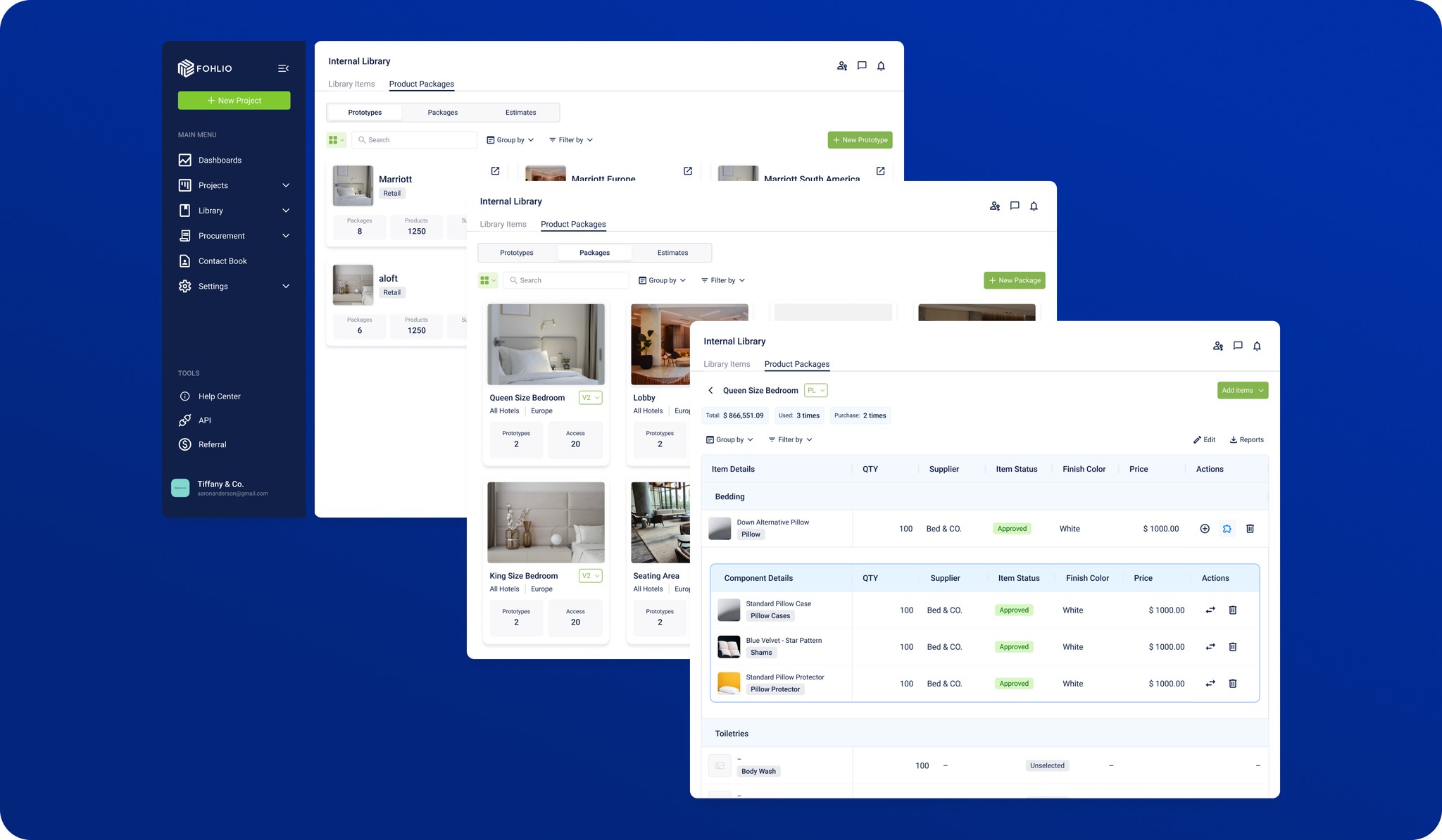
Creating product packages for each project took time and invited errors.
I designed reusable templates with grouping, customization, early cost estimates, and exports.
Reduce repeated setup when teams create similar product packages. This was a design goal, rather than a measured outcome.
09 / Design study
The platform’s most-used component suffered from cramped layouts and inconsistent behavior.
I revised table typography and spacing, with customizable columns, inline editing, sorting, and filtering.
The updated table design is implemented as part of the platform redesign.
10 / Design study
11 / Design study
I designed import tools for Excel and PDF documents as part of the platform redesign. The implemented tools bring existing customer documents into the workflows inside Fohlio.
12 / Design study
We tagged actions in Pendo and followed click paths to understand how existing users moved through the workflows. We paid particular attention to actions people did not complete and interaction patterns that could indicate friction.
Pendo tracking informed our evaluation of the implemented workflows, helping us identify incomplete actions and points of friction. We used these patterns to understand how existing customers progressed through their tasks.
13 / Design study
Modernizing Fohlio taught me to introduce change without discarding what teams already know. Navigation, product detail views, and table behavior need to work as a connected system. I bring that perspective into SpeCurate, where review and revision can be designed together from the start.
Next chapter · New platformSpeCurate: designing a new platformFollow the work on review, revision, vendor comparison, and reusable interface rules.